When to Bid on Upwork for the Best Reply Rate
When should you bid on Upwork? Usually early, but only after a fast fit check. This guide explains how proposal timing affects visibility, when speed helps, when it hurts, and how to catch strong-fit jobs before the inbox gets crowded.

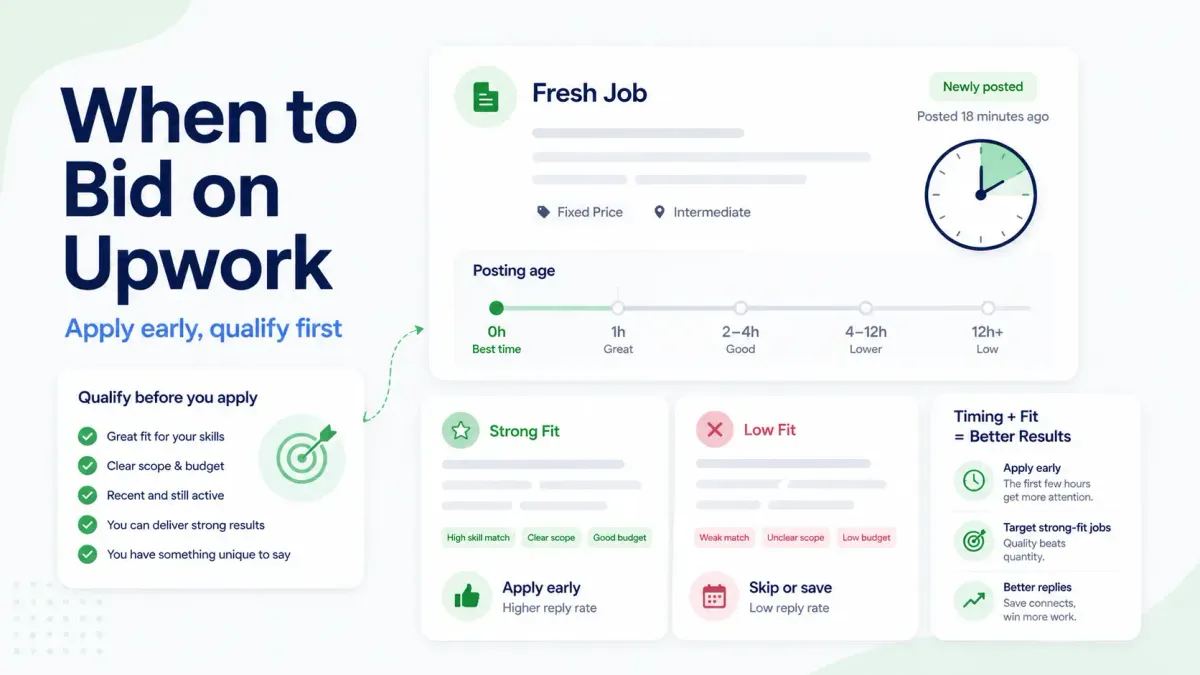
If you want the short answer first: bid on Upwork as early as you reasonably can after a good-fit job goes live, but do not send a rushed proposal just to be first. In most cases, fresh jobs attract more client attention, and early qualified proposals often get seen before the inbox gets crowded. Still, timing only helps when the job is a real fit and your first lines show proof fast.
This guide explains when proposal timing matters, when speed can hurt you, and how to build a simple system for applying earlier to better jobs.
One important distinction up front: Upwork's help center supports the mechanics around early discovery, such as instant job alerts, saved searches, and mobile access. The timing advice in this article goes one step further and interprets how freelancers can use those tools in practice. That means the platform features are first-party documented, while the bidding recommendations below should be read as workflow guidance, not a guaranteed reply-rate formula.
Quick answers
What does "when to bid on Upwork" mean?
When to bid on Upwork means deciding how soon to send a proposal after a job is posted. In practice, the decision combines posting age, job fit, proposal readiness, and how quickly the client is likely to review applicants.
What is good Upwork proposal timing?
Good Upwork proposal timing means applying early enough to be seen while the job is still fresh, but not so fast that the proposal becomes generic or low-fit. The goal is early relevance, not speed by itself.
What counts as a fresh Upwork job?
A fresh Upwork job is a newly posted listing that clients are still likely to review actively. Upwork does not publish one universal freshness window, so freelancers should treat freshness as a relative advantage rather than a fixed number of minutes.
Does timing matter on Upwork?
Yes, timing matters on Upwork, but not in the fake-exact way many freelancers talk about it.
There is no official Upwork rule that says applying at 8:12 a.m. beats applying at 9:03 a.m. What does exist is a workflow reality:
- New jobs are easier to review before the proposal list gets crowded
- Clients often start reviewing proposals soon after a post goes live
- Fresh jobs give you a better chance to stand out before the client gets fatigued
Upwork's own help content supports the general importance of freshness around job discovery. Its instant job alerts are designed to notify eligible freelancers immediately after a similar job is posted so they can be among the first to apply. That does not prove a reply-rate formula, but it does show that Upwork treats early visibility as useful.
So the practical answer is this: timing affects opportunity access, not just vanity speed.
Facts from Upwork's help content
- Upwork says instant job alerts are sent immediately after a similar job is posted for eligible freelancers.
- Upwork says instant job alerts require Freelancer Plus and at least one proposal submitted to an active job as an individual freelancer.
- Upwork says freelancers can save up to 30 searches on the platform.
- Upwork says the mobile app syncs job feed results, saved searches, and saved jobs across devices.
Upwork is built to reward faster discovery, and faster discovery usually gives freelancers a better chance to apply while a job is still fresh.
When should you bid on Upwork?
For most freelancers, the best time to bid on Upwork is early in a job post's life, after a quick fit check and before the job becomes crowded with generic proposals.
Bid early on strong-fit Upwork jobs, but do not rush weak or generic proposals. Early visibility helps most when the job matches your profile and you can show relevant proof in the opening lines.
A better rule than "apply instantly" is:
- Open the job quickly
- Qualify it in under 60 seconds
- Apply early if the fit is strong
- Skip it if you cannot make a specific case fast
That gives you the main benefit of early timing without falling into low-quality volume.
Why early proposals often perform better
Early proposals tend to perform better for a few practical reasons.
Clients may review in batches
In many freelancer workflows, clients do not wait until a post has dozens of proposals before they start reading. A common pattern is that they check the first wave, shortlist a few freelancers, and keep moving. If you show up while they are still curious and before they are overloaded, your proposal has a cleaner path to being opened.
The job still feels active
A fresh job often means the client is still in decision mode. Later in the cycle, one of three things may already be happening:
- The client has a shortlist
- They have already started messaging freelancers
- They are mentally done reviewing, even if the post is technically still open
That is why a strong proposal sent early can beat a slightly better proposal sent much later.
Competition gets noisier over time
As a job stays live, the proposal pool usually grows. More proposals do not always mean better competition, but they do create more noise. Your odds of being one of the proposals the client actually reads can shrink as the inbox fills.
Early timing helps most on strong-fit jobs
Timing helps the most when all three conditions are true:
- Your profile clearly matches the work
- You can show relevant proof quickly
- The client is likely to act soon
If those conditions are missing, speed alone will not rescue the application.
When applying too fast can still hurt you
Early does not mean careless.
Applying too fast usually backfires in four situations.
1. You skip the fit check
Some jobs look promising in the title but fall apart once you scan the budget, scope, client history, or required skills. If you apply before checking those basics, you can waste Connects on low-fit jobs that were never likely to reply.
2. Your opening lines are generic
A proposal sent in three minutes but filled with vague claims is not really "fast." It is just unfinished. Clients often decide within the opening lines whether to keep reading.
3. The project needs a more thoughtful read
Complex projects often require a better read of the brief before you respond. If the job involves a migration, audit, or multi-step build, a sloppy early proposal can make you look weaker than a slightly later but more relevant one.
4. You apply to any fresh job instead of the right fresh jobs
This is the biggest trap. Freelancers sometimes confuse freshness with quality and send proposals to anything new. The result is more spend, more noise, and no real gain in reply rate.
A practical timing system by job type
The best timing depends on the kind of job you are bidding on. The table below is a workflow guide, not a platform benchmark.
| Job type | Suggested response time | Why it works | What to avoid |
|---|---|---|---|
| Small urgent task | As soon as possible after a fast fit check | Clients often want quick action and may hire early | Writing a generic rush proposal |
| Standard service job | Early, ideally while the post is still fresh | You benefit from being in the first meaningful batch | Waiting so long that the inbox gets crowded |
| Complex or high-value project | Early interest, then a more considered proposal | You still want freshness, but clarity matters more | Applying instantly without understanding scope |
For urgent jobs
Urgent jobs often reward speed the most. If the client needs something fixed today, a qualified freelancer who replies quickly may have a real advantage.
Good candidates for fast application:
- Small bug fixes
- Quick design edits
- Short copy updates
- Simple admin or research tasks with clear scope
In these cases, being early matters because the client may hire as soon as they see one credible option.
For standard mid-range jobs
This is the most common case. The client is not hiring in five minutes, but they are also unlikely to read every proposal forever. Here, the goal is to apply early enough to stay near the front of attention while still tailoring the first paragraph.
This is where most freelancers should spend their time:
- Service packages they do often
- Jobs with clear scope and realistic budgets
- Projects where they can show one or two relevant proof points fast
For complex projects
Big projects require more care. A website rebuild, funnel strategy project, product launch, or long-term retainer usually deserves a slightly more thoughtful proposal. That does not mean waiting a day if the fit is excellent. It means using your early window to understand the brief, identify one sharp angle, and respond with more substance.
For these jobs, good timing means "early and credible," not "first at any cost."
A simple example: urgent job vs complex project
Here is a practical way to think about timing in real use.
Example 1: urgent bug-fix job
The post is 15 minutes old. The client needs a Shopify checkout issue fixed today. The scope is short, the budget is realistic, and you have solved the same problem before.
That is usually a good case for applying quickly. You already know the work, you can mention a similar fix in the opening lines, and the client may hire from the first credible proposals they see.
Example 2: complex redesign project
The post is 20 minutes old. The client wants a homepage redesign plus messaging updates, but the brief is still vague. You can probably help, but you need a few extra minutes to identify the likely problem and decide whether your portfolio actually matches the work.
That is not a reason to wait half a day. It is a reason to slow down just enough to avoid a weak proposal. In this case, a sharper application sent a little later is often better than a generic one sent instantly.
A 60-second decision framework before you bid
Before spending Connects, score the job quickly across four factors.
| Check | Question | Score |
|---|---|---|
| Fit | Have you done this exact kind of work before? | 0-3 |
| Proof | Can you show a relevant example in the opening lines? | 0-3 |
| Quality | Does the client look real and serious? | 0-2 |
| Timing | Is the job still fresh enough to be worth early action? | 0-2 |
Use the total like this:
8-10: Apply now5-7: Apply only if you can make a specific case0-4: Skip and save your Connects
This keeps proposal timing tied to job quality instead of panic.
Better ways to improve results before obsessing over timing
If your reply rate is weak, timing may be part of the issue, but it is rarely the only one. Fix these before you blame the clock.
Improve job selection
A high-fit job applied to a little later often beats a poor-fit job applied to immediately. Better filtering usually lifts results more than chasing exact timing windows.
Tighten your first two sentences
The first lines should answer one question fast: why should this client keep reading? Specificity wins here. Mention the type of work, a relevant result, or a problem you noticed in the brief.
Match proof to the job
A strong proposal feels like it belongs to that job. A vague portfolio link or generic promise lowers the value of being early.
Track where replies actually come from
Many freelancers assume timing is the problem without checking their own data. If your best replies come from jobs posted in the last two hours, that is useful. If they come from jobs posted later but with tighter fit, that is useful too.
How alerts and filters improve proposal timing
The easiest way to improve proposal timing is to improve discovery.
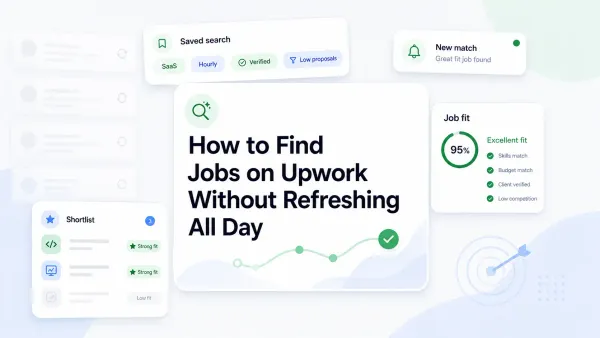
Upwork says eligible Freelancer Plus users can receive instant job alerts immediately after similar jobs are posted. It also lets freelancers save up to 30 searches, and the mobile app syncs job feeds, saved searches, and saved jobs across devices. That matters because faster discovery gives you more room to qualify a job and still apply early.
In plain terms:
- Alerts reduce the delay between posting and discovery
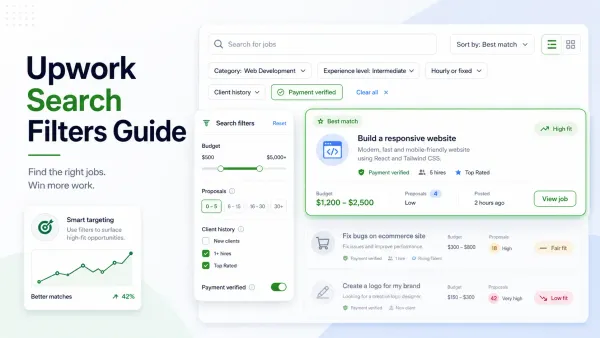
- Better saved searches reduce noise
- Mobile access helps you react while away from your desk
This is why timing and filtering belong together. Faster notifications are only helpful if the jobs reaching you are worth opening.
How to track timing vs reply rate
If you want a real answer for your niche, track your own proposal timing for two to four weeks.
Use a simple sheet with these columns:
- Date
- Job title
- Posting age when you applied
- Job type
- Fit score
- Whether you tailored the opening
- Reply, interview, or no response
Then look for patterns such as:
- Replies from jobs less than one hour old
- Replies from jobs with a fit score of 8 or higher
- No replies from jobs you applied to instantly but did not tailor
This turns "best time to apply on Upwork" from a guess into a repeatable workflow.
How UpCat helps you act faster on better-fit jobs
Most freelancers do not need more jobs. They need faster access to the right jobs.
UpCat is an independent browser extension for Upwork freelancers at upcat.app. It helps generate AI-written proposal cover letters and real-time job alerts, and it is not affiliated with or endorsed by Upwork.
That is where UpCat fits. Instead of checking the feed all day or reacting to broad alerts, you can use UpCat to surface better-fit jobs sooner and make faster yes-or-no decisions before spending Connects.
Used well, that means:
- Less time refreshing the marketplace
- Faster action on qualified opportunities
- Fewer rushed proposals to weak-fit jobs
- Better timing because your discovery system is cleaner
For readers who want to improve the rest of the workflow, the strongest companion resource right now is How to Write an Upwork Proposal. Once the related posts are live, this piece should also link to the job alerts, search filters, and proposal response rate guides.
Key takeaways
- The best time to bid on Upwork is usually early in a job's life, after a fast fit check.
- Early timing helps visibility, but it does not rescue poor-fit jobs or generic proposals.
- Upwork's own product design supports faster discovery through instant alerts, saved searches, and synced mobile job feeds.
- Freelancers should track posting age, fit score, and reply rate together instead of chasing one universal posting-time rule.
Conclusion
When to bid on Upwork is really a question about timing plus fit. In most cases, earlier qualified proposals have a better chance of being seen before the inbox gets noisy. But being first is not the goal. Being early on the right jobs with a specific proposal is the goal.
If you want better reply rates, do three things: improve discovery, qualify jobs faster, and send tailored proposals while the post is still fresh. That is a stronger system than chasing a magic hour on the clock.
FAQ
When is the best time to bid on Upwork?
The best time is usually early in a job post's life, once you confirm the fit is real. There is no universal clock time that works for every niche, but fresh, qualified applications often have a better chance of being seen before the inbox fills up.
Should I apply right away on Upwork?
Apply quickly when the job is a strong fit and you can write a relevant opening without rushing. Do not apply instantly just because a post is new. A weak early proposal still performs like a weak proposal.
Does proposal timing affect reply rate?
It often does, but it works together with job fit, proof, and proposal quality. Timing can improve visibility, yet it does not guarantee replies and cannot rescue poor targeting.
How long should I wait before applying to a new job?
Usually, you should not wait long on a strong-fit job. Open it quickly, run a fast qualification check, and apply early if you can make a clear case. Complex jobs may justify a little more preparation, but not unnecessary delay.
What helps me catch good jobs faster?
Better alerts, narrower saved searches, mobile notifications, and a cleaner job qualification process all help. The faster you discover relevant jobs, the easier it is to apply while they are still fresh.
Sources
- Upwork Help: How to get instant job alerts
- Upwork Help: How to search for jobs on Upwork
- Upwork Help: Using the mobile app for job searches and proposals
Stop checking the feed all day. Use UpCat to catch better-fit Upwork jobs earlier, filter weak listings faster, and apply while strong opportunities are still fresh.