Is Upwork Legit for Freelancers? Scams, Red Flags, and Safe Practices
Is Upwork legit for freelancers? Yes, but platform safety does not remove the need for client screening. Learn how Upwork protection works, which red flags matter, and how to avoid risky jobs before you apply.

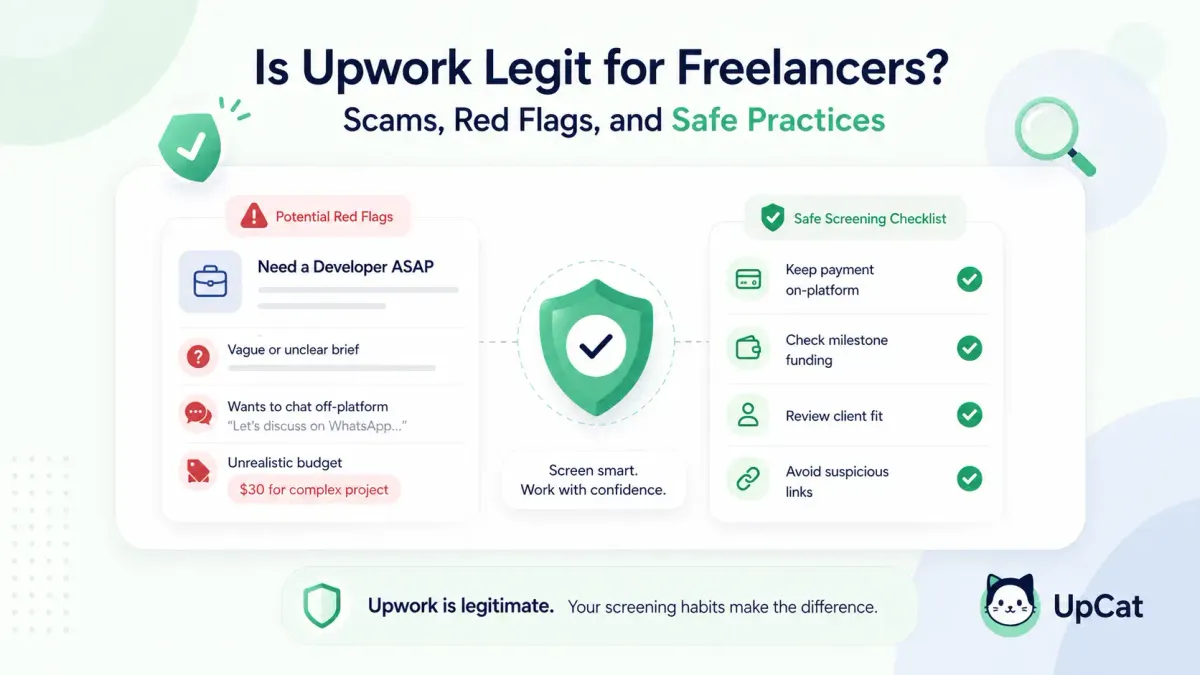
If you want the short answer first, here it is: yes, Upwork is legit for freelancers. It is a real marketplace with platform rules, payment systems, dispute processes, and a Trust and Safety team. But that does not mean every client or every job post is trustworthy. The right way to think about it is this: Upwork as a platform is legitimate, while individual opportunities still need screening.
This guide explains where Upwork is trustworthy, where risk still exists, and how to protect yourself before you spend Connects or start work.
Is Upwork a legitimate platform?
Yes. Upwork is a legitimate freelance marketplace, not a fake job board.
The platform has published help documentation for payment protection, trust and safety, reporting suspicious activity, communication rules, and contract handling. Those are all signs of a real operating system for freelance work, not just a listings site.
That said, "legit platform" does not mean "zero-risk environment." A freelancer still has to separate three questions:
- Is the marketplace itself real?
- Is this specific client serious?
- Is this specific job post worth applying to?
Many new freelancers collapse those questions into one. If they see one suspicious listing, they conclude the whole site is fake. If they see a funded client, they assume every detail is safe. Both reactions miss the point.
How freelancer protection works on Upwork
Upwork says it offers payment protection, but that protection depends on how the work is structured. It is not a blanket promise that every bad outcome gets reversed.
Hourly contracts
According to Upwork Help, hourly contracts can qualify for Hourly Payment Protection when the freelancer logs time correctly and meets the platform's protection criteria. In plain English, that means the protection is tied to using Upwork's system the right way, not just doing work and hoping for the best.
Fixed-price contracts
For fixed-price work, safety is more about funded milestones and staying inside the platform's payment flow. If a milestone is not properly funded, your risk is much higher than many beginners realize.
Platform enforcement
Upwork also has a Trust and Safety function that investigates suspicious activity, enforces marketplace rules, and accepts reports from users.
The practical takeaway is simple: Upwork can be safe, but only if you work within its contract, messaging, and payment systems.
Where risk still exists
The main risks are usually not the platform itself. They come from bad clients, bad screening, or off-platform behavior.
Risk 1: A real account can still post a weak or suspicious job
A job can exist on a legitimate marketplace and still be a bad opportunity. Some clients are unclear, unrealistic, unprepared, or fishing for free ideas.
Risk 2: Scammers try to move freelancers outside the protected flow
Upwork's help center is very clear here. Before a contract starts, communication should stay on Upwork. Upwork also says that taking payment outside the platform undermines its protections and can put both parties at risk.
Risk 3: Beginners confuse urgency with legitimacy
A rushed client is not always a scammer, but pressure is a warning sign. When someone pushes for an immediate sample, fast personal contact, or work before contract setup, you need to slow down and check the basics.
Risk 4: Bad-fit jobs can feel safer than they are
A job post might look normal at first glance yet still be poor quality because the deliverables are unclear, the budget is unrealistic, or the brief looks copied and low effort. These are not always scams, but they often lead to bad outcomes even when the client is technically real.
Common red flags before you send a proposal
If you only remember one part of this article, make it this section.
Pre-proposal red flag checklist
Use this quick screen before spending Connects:
| Red flag | Why it matters | What to do |
|---|---|---|
| Client asks to talk on Telegram, WhatsApp, or email before a contract | Breaks Upwork's pre-contract safety flow and often signals circumvention | Do not move off-platform; report if needed |
| Client asks to pay outside Upwork | You lose platform protection and enter high-risk territory | Decline and keep payment on Upwork |
| Job post is vague but promises very high pay | Classic bait pattern; hard to scope and easy to manipulate | Ask clarifying questions or skip |
| Client asks for unpaid test work that looks like real deliverable work | Can become free labor dressed up as screening | Set boundaries and decline if it crosses into production work |
| Budget is far below market for complex work | Often leads to scope creep, poor communication, or churn | Skip unless scope is clearly smaller than it sounds |
| Client wants a large amount of work before funding a milestone | Raises nonpayment risk on fixed-price work | Wait for proper contract setup |
| Job post contains suspicious links, strange verification requests, or requests for personal documents | Can point to phishing or identity risk | Do not click or send sensitive information |
| Scope is copied, contradictory, or full of generic filler | Suggests low-intent posting or poor client quality | Treat as low confidence and move on |
Some signs should end the conversation immediately, especially requests for off-platform payment, off-platform communication before contract, suspicious links, or any request for money, gift cards, deposits, or purchases. Other signs such as vague scope or low budget need more checking, not automatic panic.
Safe practices for interviews, payments, and off-platform requests
A lot of freelancers ask, "Can you get scammed on Upwork?" The honest answer is yes, but the odds drop sharply if you follow a few non-negotiable habits.
Keep pre-contract communication on Upwork
Upwork says pre-contract discussions should stay on the platform. That includes project goals, timing, pricing, scope, and negotiation. If someone tries to move the conversation elsewhere before the contract starts, treat that as a major warning sign.
Do not accept off-platform payment
Upwork states that getting paid outside the platform weakens the marketplace's protections and leaves both sides with less recourse. Even if a client sounds sincere, you are taking on more risk by leaving the system designed to document the work and payment trail.
Use the right payment setup for the contract type
For hourly work, follow Upwork's payment-protection rules closely. For fixed-price work, make sure the milestone structure is clear and the funding step is handled correctly before starting meaningful work.
Protect personal information
Upwork's contact-information guidance says sharing direct contact details before a contract is in place is against the rules. If a client pushes for personal contact too early, treat that as a warning sign.
What beginners misunderstand about Upwork risk
The biggest misunderstanding is thinking safety comes from intuition alone. A better model is process.
Mistake 1: Trusting the platform so much that you stop screening
Because Upwork is legit, some freelancers think every job has already been fully vetted. Platform legitimacy does not replace freelancer judgment.
Mistake 2: Treating every imperfect job post like a scam
Some clients are simply bad at writing job descriptions. That is different from fraud. Better screening solves most of that confusion.
Mistake 3: Starting work before the contract structure is safe
This is one of the costliest beginner errors. They get excited, jump into the work, and only later realize the contract or milestone setup was weak.
Mistake 4: Thinking reporting is only for extreme cases
Upwork asks users to report suspicious activity. If a client is clearly breaking the rules, do not quietly ignore it and move on.
A simple 60-second screening routine
If you want a calm way to judge whether an Upwork job is worth your time, use this routine:
- Check whether the client is keeping communication and payment on Upwork
- Check whether the scope is clear enough to quote or discuss
- Check whether the budget is realistic for the deliverable
- Check whether the job matches work you can actually prove
- Check whether there are any hard-stop signs such as suspicious links or personal-info requests
If two or more answers feel weak, skip the job.
This is also where UpCat fits naturally. Instead of manually sorting through broad, noisy job feeds, UpCat can help you qualify job posts faster before you spend Connects.
Also Read:
Conclusion
So, is Upwork legit for freelancers?
Yes. Upwork is a legitimate freelance platform with real payment systems, platform rules, and trust-and-safety infrastructure. Freelancers still need to screen clients, stay inside platform rules, and avoid shortcuts that remove protection.
Treat platform legitimacy and client legitimacy as separate checks. Use the red-flag checklist before you apply. Keep communication and payments on Upwork until the contract is correctly in place.
FAQ
Is Upwork legit for freelancers?
Yes. Upwork is a legitimate freelance marketplace with published rules, trust-and-safety enforcement, payment systems, and reporting tools. The platform is real, but each client and job still needs screening before you apply or start work.
Can you get scammed on Upwork?
Yes, risk still exists, especially when a client pushes for off-platform communication, outside payment, suspicious links, or unpaid production work. The platform can be safe, but freelancers still need solid screening habits and should stay inside Upwork's contract and payment flow.
Does Upwork protect freelancers?
Upwork provides payment-protection systems and trust-and-safety enforcement, but protection depends on following the platform's rules and using the correct workflow. It is not a blanket guarantee for every situation, especially if you move communication or payment outside the platform.
Is it safe to communicate off-platform?
Before a contract starts, Upwork says communication should stay on the platform. Moving off-platform too early raises scam risk and can also create account-compliance problems. The safer move is to keep interviews, negotiation, and payment discussion inside Upwork until the contract is active.
How can you tell if an Upwork job post is fake?
Look for off-platform requests, outside-payment pressure, suspicious links, vague high-pay promises, unpaid test traps, and requests for sensitive personal information. One issue may need more checking. Multiple issues together usually mean the job is not worth your time or Connects.
Sources
- Upwork Help: Upwork Trust and Safety
- Upwork Help: How Upwork protects your payments
- Upwork Help: Get to know each other before a contract
- Upwork Help: Why you shouldn't get paid outside Upwork
- Upwork Help: Recognize red flags and avoid scams
- Upwork Help: How to keep your contact information safe on Upwork
Use UpCat to qualify Upwork job posts faster before you spend Connects on weak or risky listings.