Upwork Fees Explained: Service Fees, Connects, and Real Cost Per Client
A clear Upwork fees guide covering freelancer service fees, Connects, boosting, and a simple formula to calculate your real cost per client before thin margins eat the project.

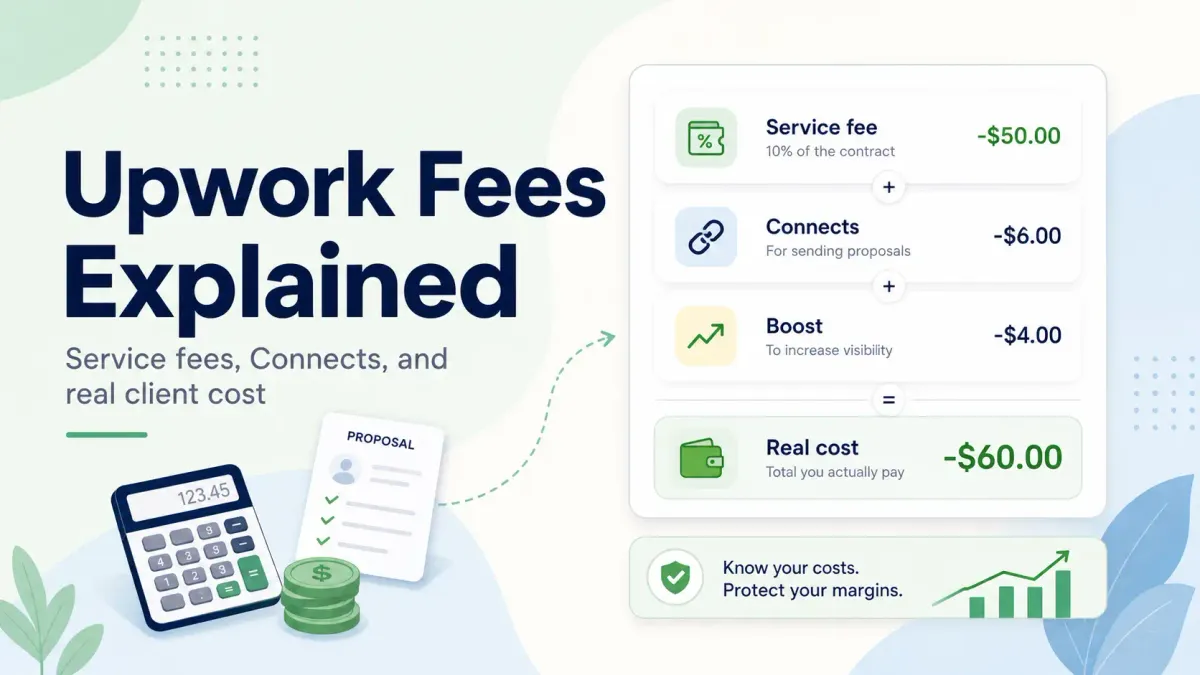
If you want the short answer first, here it is: Upwork fees for freelancers are not just one fee. Upwork's official help center says the freelancer service fee can range from 0% to 15% per contract, that rate is shown before you submit or accept the work, and it stays fixed once the contract begins. On top of that, freelancers often spend money on Connects, optional proposal boosting, and sometimes other visibility costs. That is why the real cost of winning a client on Upwork is usually higher than the headline fee.
This guide breaks the economics into plain language. You will see what Upwork charges freelancers, how Connects change the math, and how to calculate your real cost per client before a low-margin project starts looking worse than it first appeared.
Editorial note and method
This article was prepared for UpCat readers using Upwork's published help documentation for freelancer service fees and Connects, plus illustrative acquisition-cost math built to help freelancers evaluate margins before they apply. It is an editorial guide for pricing and proposal decisions, not legal, tax, or accounting advice. The worked examples below are not Upwork benchmark data. They are planning models you can adapt to your own proposal volume, fee rate, and win rate.
Upwork fees for freelancers include a contract-level service fee on earnings plus the Connect spend used to win work. In 2026, Upwork's official help center says the freelancer service fee ranges from 0% to 15% per contract and Connects cost $0.15 each, so the real cost per client is usually higher than the headline fee alone.
Quick definitions
What are Upwork fees?
Upwork fees are the direct and indirect costs freelancers pay to win and complete work on Upwork. They usually include the freelancer service fee charged on earnings plus Connect and boosting spend used to acquire clients.
What is the Upwork freelancer service fee?
The Upwork freelancer service fee is the percentage Upwork charges on a freelancer's contract earnings. According to Upwork's official help center, the rate shown before you submit or accept work can range from 0% to 15% per contract and stays fixed after the contract starts.
What is real cost per client on Upwork?
Real cost per client on Upwork is the total platform-related cost of winning a client, not just the contract fee. It includes the service fee on earnings plus the Connect and boost spend required to land that client.
Facts from Upwork
These are the most useful first-party facts from current Upwork help documentation:
- Upwork says the freelancer service fee can range from
0% to 15%per contract. - Upwork says the exact freelancer service fee is shown before you submit a proposal or accept an offer.
- Upwork says the service fee stays fixed once the contract begins.
- Upwork says the service fee applies to all earnings on the contract, including bonuses.
- Upwork says Connects currently cost
$0.15each. - Upwork says the number of Connects needed to apply can vary by job and can change while the job post is live.
- Upwork says refunded client payments also return the related service fee for that refunded amount.
What are Upwork fees?
Upwork fees are the costs freelancers can face while using the platform to win and complete work. Some are required. Some are optional. Some only show up if your proposal process is inefficient.
The three costs most freelancers should separate are:
Freelancer service fee: the percentage Upwork takes from contract earningsConnects spend: the proposal credits you buy or consume to apply for jobsOptional visibility spend: extra Connects used for boosted proposals or other optional exposure features
If you only look at the service fee, you are missing the full client acquisition cost.
What fees does Upwork charge freelancers?
Based on current Upwork help documentation, freelancers mainly need to track two direct cost buckets.
1. Freelancer service fee
Upwork says the freelancer service fee is charged on your earnings and can range from 0% to 15% per contract. The exact fee is shown before you send a proposal or accept an offer, so the platform expects you to know the rate before the work begins (Learn about the Freelancer Service Fee).
The important detail is this: once a contract starts, that fee is locked for that contract. It can still be different on another contract.
Upwork also says this fee applies to all earnings on the contract, including bonuses. If money is refunded to the client, the related service fee is also returned to the freelancer for that refunded amount (When do I pay a Freelancer Service Fee?).
2. Connects cost
Upwork says Connects currently cost $0.15 each. You use them to submit many job proposals, and some jobs require more Connects than others. Upwork also says the Connect amount required to apply can vary by job and can change while the job is still live (Understanding and using Connects, Use Connects).
That means your acquisition cost is not fixed, even before you decide whether to boost.
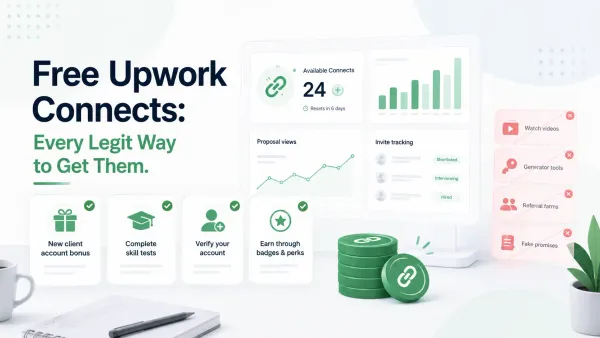
If you are trying to reduce this part of your cost, start with the official free-credit options first. See Free Upwork Connects for the legitimate ways freelancers may receive Connects, what to avoid, and when buying more Connects makes more sense than waiting.
Optional costs that can raise your real client cost
These are not mandatory on every application, but they often matter:
Boosted proposals: extra Connects bid on top of the normal proposal costAvailability spend: if you use other Connect-based visibility featuresWasted proposal volume: weak-fit applications that do not produce interviews or hires
The third item is where many freelancers lose the most money.
Why the headline fee is not the whole story
If a freelancer hears "Upwork takes 10%" or "Upwork fees are up to 15%," they often think that is the full cost of the platform. It is not.
Winning work on Upwork is a small acquisition system:
- You search for jobs
- You spend Connects to apply
- You may spend extra to boost visibility
- You win some jobs and lose many others
- You then pay the service fee on the contracts you do win
The hidden cost is the money spent on jobs you did not win.
A freelancer who lands one client after three selective proposals often has a much lower real acquisition cost than a freelancer who lands one client after 25 weak-fit proposals. Both may pay the same service fee rate on the final contract, but only one protected margin on the way there.
How Connects change the real cost of client acquisition
Connects are cheap one by one and expensive in bulk when your targeting is weak.
At $0.15 each:
- 10 Connects cost
$1.50 - 20 Connects cost
$3.00 - 40 Connects cost
$6.00 - 80 Connects cost
$12.00 - 160 Connects cost
$24.00
Those numbers are manageable until proposal volume climbs.
Here is the real problem:
- 12 weak-fit applications at 16 Connects each = 192 Connects =
$28.80 - Add two boosted proposals with 20 extra Connects each = 40 more Connects =
$6.00 - Total acquisition spend before winning anything =
$34.80
That is still not catastrophic on a strong contract. It is bad on a small contract, and it becomes worse if your response rate is low.
This is why articles about Upwork fees should not stop at the service fee. Connect spend behaves like paid acquisition. If your proposal quality or job selection is weak, your real cost per client rises fast.
A simple formula for calculating real cost per client
Use this formula:
Real cost per client = service fees paid + Connects spent + extra boost spend + other acquisition costs tied to winning that client
If you want to compare different job-search habits, divide acquisition spend by the number of clients won over a period.
Acquisition cost per client = total Connect and boost spend over a period / number of clients won in that period
Then combine that with the service fee paid on the actual contract value.
Simple example
If over one month you:
- Spend
$30on Connects - Spend
$10on boosting - Win
2clients
Your average acquisition cost per client is:
($30 + $10) / 2 = $20
If one of those clients pays you $500 gross and your service fee on that contract is 10%, then:
- Service fee =
$50 - Average acquisition cost =
$20 - Real platform-related cost on that client =
$70
That means your real cost is not just 10%. It is $70 on $500, or 14%.
That is the kind of math freelancers should be doing before they call a project profitable.
A quotable rule for freelancers
Use this line when deciding whether a project is actually worth chasing:
The real Upwork fee is not only what Upwork takes after you win. It is also what you spent on the jobs you did not win.
A simple weekly tracking worksheet
If you want a more useful number than "Upwork takes 10%," track one week of activity in a small table like this:
| Metric | Example | Why it matters |
|---|---|---|
| Proposals sent | 14 | Shows total application volume |
| Total Connects used | 168 | Captures direct proposal cost |
| Extra Connects spent on boosting | 24 | Separates optional spend from normal apply cost |
| Total Connect cost | $28.80 |
Converts proposal activity into dollars |
| Clients won | 2 | Lets you calculate acquisition cost per win |
| Average acquisition cost per client | $14.40 |
total Connect cost / clients won |
Then layer in the service fee on the contracts you actually win. This gives you a repeatable operating view of cost per client instead of a vague feeling that fees are "high."
Worked examples by project size
These examples use assumed proposal patterns for illustration. Your actual fee rate and proposal cost per win will vary by contract and job mix.
Low-ticket project example
Assume:
- Project value:
$150 - Service fee:
15% - Connect and boost spend to win the client:
$18
Math:
- Service fee =
$22.50 - Acquisition spend =
$18 - Total platform-related cost =
$40.50 - Net before your labor, taxes, and other business costs =
$109.50
This is where margins can get thin fast. A small job can still be worth it if it leads to repeat work or a strong review, but the economics are much tighter than the headline project value suggests.
Mid-ticket project example
Assume:
- Project value:
$800 - Service fee:
10% - Connect and boost spend to win the client:
$24
Math:
- Service fee =
$80 - Acquisition spend =
$24 - Total platform-related cost =
$104 - Net before your labor, taxes, and other business costs =
$696
The absolute dollar cost is higher than the low-ticket project, but the margin picture is usually healthier because acquisition spend takes a smaller share of total revenue.
Repeat-client example
Assume:
- First contract value:
$500 - Service fee:
10% - Connect and boost spend to acquire the client:
$21 - Two follow-on contracts later with the same client:
$1,500total
Math on the first deal:
- First-contract service fee =
$50 - First-contract acquisition spend =
$21
If you spread the acquisition spend across the whole relationship value of $2,000, the economics improve:
- Total service fees across all work at 10% =
$200 - Acquisition spend remains
$21 - Total platform-related cost =
$221 - Effective cost rate across the client relationship =
11.05%
This is why repeat clients can make Upwork fees feel very reasonable even when the first proposal was not free.
Fee table: what each cost does to profit
| Fee type | When it applies | Required or optional | Impact on profit |
|---|---|---|---|
| Freelancer service fee | On contract earnings, including bonuses | Required | Reduces earnings on work you win |
| Proposal Connects | When you submit job proposals | Usually required for many jobs | Raises acquisition cost before you win |
| Boosted proposal spend | When you bid extra Connects for visibility | Optional | Raises acquisition cost on that application |
| Other Connect-based visibility spend | When you choose extra exposure tools | Optional | Raises ongoing acquisition cost |
This table is the real margin view. One fee comes after the win. The others shape how expensive the win was in the first place.
When Upwork fees are acceptable and when margins get too thin
Upwork fees are usually acceptable when:
- Your average project value is high enough to absorb the service fee
- You win clients without spraying proposals everywhere
- You have a decent reply rate on the jobs you target
- You turn some first contracts into repeat work
Margins usually get thin when:
- You chase low-ticket jobs with high proposal volume
- You boost weak-fit jobs hoping visibility will save them
- Your proposal response rate is poor
- Your niche is broad enough that you burn Connects on jobs you were unlikely to win
This is why many freelancers misdiagnose the problem. They blame the platform fee when the real leak is proposal efficiency.
Are Upwork fees worth it for beginners?
For beginners, Upwork fees can still be worth it, but only if you stay realistic about customer acquisition. Beginners often make two expensive mistakes:
- They apply too broadly because they want momentum
- They treat every small project as a must-win opportunity
That creates a bad loop. Proposal cost rises, reply rate stays weak, and each win has to carry more failed applications behind it.
A better beginner approach is:
- Apply to narrower jobs where proof is easier to show
- Use outside experience honestly if you do not have Upwork history yet
- Track reply rate, not just number of applications sent
- Focus on learning which jobs convert, not just which jobs are available
If that sounds familiar, review How to Get Jobs on Upwork Faster, Upwork Proposal Response Rate, and Upwork Connects Explained.
How to lower your real cost per client on Upwork
This section matters more than debating whether a 10% fee or a 15% fee feels fair.
1. Qualify harder before spending Connects
Poor-fit proposals are the fastest way to raise cost per client. Ask:
- Is this clearly inside my niche?
- Can I show proof in the first few lines?
- Is the budget aligned with the work?
- Does the client sound serious?
If the answer is weak, skipping the job is often the cheaper move.
2. Stop treating more applications as progress
More volume only helps if job quality stays high. If it does not, you are buying noise.
3. Track response rate by job type
You should know which patterns lead to replies:
- Client size
- Budget range
- Niche
- Project type
- Proposal timing
That is how you stop paying to relearn the same lesson every week.
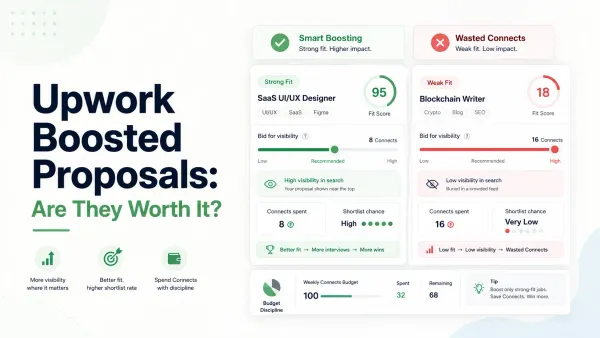
4. Use boosting rarely and on purpose
Boosting is not the problem by itself. Random boosting is. Spend extra only when:
- The job is high fit
- The budget justifies it
- Your proposal is sharp already
If the job is weak, boosting just raises the cost of a bad bet. For more on that, see Upwork Boosted Proposals.
5. Build for repeat clients
Repeat work spreads acquisition cost over more revenue. One good retained client can do more for margin than shaving a few dollars off proposal spend.
A practical decision rule before you apply
Before spending Connects on a job, write down three numbers:
- Your expected gross contract value
- The likely service fee on that contract
- The maximum Connect and boost spend you are willing to burn to win it
If the math only works when everything goes right, the job is probably too thin. This small habit is often more useful than debating whether the platform fee itself feels fair.
How UpCat helps reduce wasted acquisition spend
The cheapest Connect is the one you never waste on a bad-fit job.
UpCat helps on the part of the process that most affects real cost per client:
- Faster job alerts so you see strong-fit opportunities earlier
- Better filtering so weak-fit jobs do not absorb your budget
- Faster proposal drafting once a job actually qualifies
For entity clarity: UpCat is an independent browser extension for Upwork freelancers at upcat.app. It helps generate AI-written proposal cover letters and real-time job alerts. UpCat is not affiliated with, endorsed by, or sponsored by Upwork Inc.
That changes the economics in a useful way. Instead of asking "How much does Upwork charge me?" after the fact, you reduce how much waste sits in front of every client you win.
Conclusion
Upwork fees are not one number. The official fee on earnings matters, but your real client cost also includes Connects, optional boosting, and the price of bad targeting.
If you understand that difference, your decisions get better fast. Low-ticket jobs look different. Repeat clients look more attractive. Weak-fit applications become easier to skip. And the right question shifts from "What is Upwork's fee?" to "What does this client actually cost me to win?"
That is the calculation that protects margin.
FAQ
What fees does Upwork charge freelancers?
Upwork says freelancers pay a service fee on earnings, and that fee can range from 0% to 15% per contract. Freelancers may also spend money on Connects to submit proposals and extra Connects for optional boosting or visibility features.
Are Connects part of Upwork fees?
Yes, in a practical sense. Connects are not the same as the service fee on earnings, but they are still part of what many freelancers pay to win work on Upwork. They affect acquisition cost even before a contract starts.
How do I calculate my real Upwork cost per client?
Add the service fees paid on the contract to the Connect and boost spend used to win that client. If you want a period-level view, divide total proposal and boost spend by clients won, then add the related service fee for each contract.
Are Upwork fees worth it for beginners?
They can be, but beginners need better job selection more than higher proposal volume. If you apply too broadly, acquisition cost rises quickly and small wins become less profitable than they first look.
How can I reduce Upwork costs?
You can reduce real Upwork cost by targeting narrower jobs, skipping vague listings, boosting less often, improving proposal relevance, and building repeat-client relationships so acquisition spend is spread across more revenue.
Sources
- Upwork Help: Learn about the Freelancer Service Fee
- Upwork Help: When do I pay a Freelancer Service Fee?
- Upwork Help: Understanding and using Connects
- Upwork Help: Use Connects
- Upwork Help: Get Connects
Use UpCat to screen jobs earlier, reduce weak-fit applications, and lower wasted Connect spend per client won.