Upwork Scams to Avoid: 15 Red Flags Before You Send a Proposal
A practical guide to the most common Upwork scams, 15 red flags to check before you apply, and a 60-second screening checklist so you do not waste Connects on fake or risky jobs.

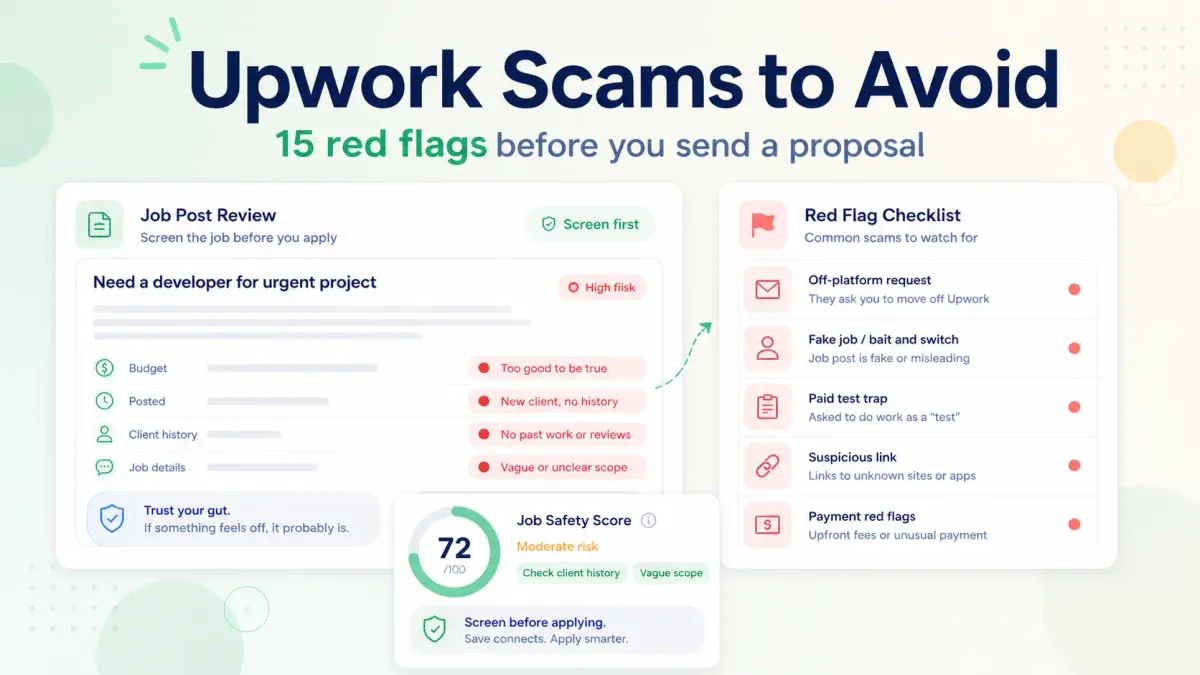
If you want the short answer first, here it is: most Upwork scams follow a small set of patterns. The biggest ones are requests to move off-platform, offers that sound too good to be true, free-work traps, and pressure to start before the contract is set up correctly. Upwork is a legitimate marketplace, but that does not make every client or every job post safe.
This guide shows you 15 red flags to check before you apply and gives you a 60-second screening routine so you do not waste Connects on fake jobs or risky clients.
Why scam filtering matters before proposal writing
Scam filtering matters because it protects three things at once:
- Your Connects
- Your time
- Your personal and payment safety
It also helps you separate two different problems:
Weak client quality: the client may be real, but the job is vague, low-budget, or poorly scopedScam behavior: the client is asking for something unsafe, off-platform, deceptive, or against Upwork rules
Not every bad job is a scam. But every scammy job is a bad use of your attention.
15 Upwork scam red flags
Use this section like a pre-proposal filter. One red flag may mean "check harder." Several together usually mean "skip."
1. The client asks to move to Telegram, WhatsApp, email, or phone before a contract
Upwork's help center says pre-contract communication should stay on Upwork. If someone wants to move the conversation elsewhere before the contract starts, treat that as a major warning sign.
What to do:
- Keep pre-contract communication on Upwork and report the message if needed
2. The client offers to pay outside Upwork
Upwork says getting paid outside the platform removes platform protections and violates its rules. A client who suggests direct bank transfer, PayPal, crypto, or another outside method before proper setup is asking you to take on more risk.
What to do:
- Decline it, keep payment on Upwork, and do not start work until the contract is correctly set up
3. The job promises unusually high pay for very little detail
Some fake jobs use high pay to lower your guard. If the post sounds generous but the scope is thin, vague, or oddly broad, that is a classic bait pattern.
What to do:
- Compare budget to scope, ask clarifying questions, and skip if the answers stay vague
4. The client wants free work that looks like real deliverable work
Upwork warns against free work requests. A small skill-check question is one thing. A "test" that looks like production work is another.
What to do:
- Offer a limited paid test if needed, share past work instead, and walk away if the client insists
5. The scope is unclear, copied, or contradictory
Some fake jobs and low-intent jobs are full of generic filler. Others paste multiple unrelated requirements together. That does not always mean fraud, but it does mean the job is risky.
What to do:
- Look for repeated phrases, conflicting asks, and strange formatting, then skip if the client cannot explain the work clearly
6. The client pressures you to act immediately
Urgency is common on Upwork, but pressure tactics are different. Be careful when a client tries to rush you into sharing contact details, clicking a link, doing free work, or starting before contract setup.
What to do:
- Slow the process down and reconfirm scope, contract type, and payment structure
7. The client sends suspicious links or asks you to download files before trust is established
Some scam jobs are really phishing attempts. Strange forms, login pages, or random file downloads can put your device or account at risk.
What to do:
- Avoid clicking unknown links or downloading unverified files, and report suspicious behavior
8. The client asks for personal documents or sensitive information too early
A client should not need your passport, banking logins, card details, or unrelated personal records just to interview you.
What to do:
- Share only what is necessary through safe workflows, and refuse requests unrelated to the contract
9. The client wants you to buy something first
If a client asks you to pay for software, a starter kit, training, an ID check, or a reimbursement flow before work starts, stop there. Legitimate clients do not need freelancers to send money first.
What to do:
- Never send money to get work and report the posting
10. The budget is unrealistic for the work being described
A bad budget alone is not always fraud. But when the rate is wildly disconnected from the scope, it often signals low seriousness or future trouble.
What to do:
- Compare budget to deliverables and skip if the client wants premium work at a throwaway price
11. The client wants you to start before milestone funding or contract activation
For fixed-price jobs, funded milestones matter. For hourly jobs, tracked time and correct setup matter. If the client says "go ahead, we'll sort payment later," you are being pushed outside the safer workflow.
What to do:
- Wait for the contract to be active, confirm milestone funding, and follow Upwork's payment-protection rules
12. The job looks like a lead-gen post, data-harvesting post, or fake hiring funnel
Some posts exist mainly to collect portfolios, email addresses, ideas, or free consultation. They may never lead to real hiring.
Watch for broad "apply here" requests with outside forms, many detailed ideas before any real conversation, and no clear budget, timeline, or hiring process.
What to do:
- Limit what you share, keep the conversation on-platform, and skip if the post looks extractive
13. The client profile and the post do not match
Sometimes the spending pattern, job history, or communication style does not line up with what the post claims. That is not always a scam by itself, but it is a signal to check harder.
What to do:
- Review the full context, ask focused questions, and leave if the mismatch gets worse
14. The client avoids clear answers about deliverables, timeline, or approval
Scammy or chaotic clients often keep things fuzzy. That protects them and weakens your ability to hold them accountable later.
What to do:
- Ask what success looks like, who approves the work, and what happens after delivery
15. The client asks you to use your account in a risky or deceptive way
This includes requests to post reviews, disguise identity, use someone else's assets improperly, send messages from your account, or do anything that feels like account misuse or fraud.
What to do:
- Refuse immediately, report the job or user, and do not engage further
Red flag table: what it means and what to do
| Red flag | Why it matters | What to do |
|---|---|---|
| Off-platform contact before contract | Raises scam risk and breaks Upwork's pre-contract safety flow | Stay on Upwork and report if needed |
| Outside payment request | Removes protection and creates nonpayment risk | Keep payment on Upwork only |
| Free production work | Can turn screening into unpaid labor | Offer paid test or decline |
| Suspicious links or downloads | Can expose your device or account | Do not click casually; report |
| Vague high-pay post | Classic bait pattern | Ask questions or skip |
| Start work before setup | Weakens payment safety | Wait for active contract or funded milestone |
| Requests for money or purchases | Strong scam indicator | Never pay to get work |
| Pressure tactics | Designed to lower your guard | Slow down and verify |
Which red flags are hard stops and which need more checking
Hard stops
Leave the job and consider reporting it if you see any of these:
- Request for off-platform communication before contract
- Request for off-platform payment
- Request for money, purchases, or gift cards
- Suspicious links, fake verification flows, or weird downloads
- Unpaid test work that is clearly real deliverable work
- Requests for sensitive personal or account information
Needs more checking
These do not always mean scam, but they can still waste time or Connects:
- Vague scope
- Unrealistic budget
- Contradictory job post
- New client with little detail
- Pushy tone without a clear project plan
When two or three "needs more checking" signals stack up, the job often becomes a practical no.
A 60-second job qualification checklist
Copy-and-use checklist
- Is the client keeping communication on Upwork before contract?
- Is the payment expected to stay on Upwork?
- Is the scope clear enough to quote or discuss?
- Is the budget realistic for the deliverable?
- Is there any free-work trap hidden as a test?
- Are there suspicious links, forms, or download requests?
- Is the client asking for sensitive personal information?
- Does the post match work I can actually prove?
- Do I understand what the first paid step is?
- Would I still apply if the headline sounded less exciting?
If you answer no or not sure to several of those, skip the job.
This is also the right place to reduce Connect waste. UpCat fits naturally here by helping you pre-qualify jobs faster, so you spend more time on listings that match your niche and less time sorting through risky posts.
Also Read:
- Is Upwork Legit for Freelancers? Scams, Red Flags, and Safe Practices
- Upwork Connects Explained in 2026: Cost, Free Connects, and How to Spend Less
- How to Write an Upwork Proposal
What to do if you already replied to a suspicious job
1. Stop sharing more information
Do not send personal contact details, payment details, documents, or more work samples than needed.
2. Keep everything inside Upwork
If the client is pushing you to move elsewhere, decline and keep the full record inside Upwork Messages.
3. Do not start work outside a safe contract setup
Do not begin meaningful work before the contract is active and, for fixed-price work, before the milestone is funded.
4. Report the posting, message, or user
Upwork says suspicious activity can be reported through the flag on job posts, through message options, or through support.
Conclusion
Most Upwork scams depend on getting you to ignore a few basic rules: stay on-platform before contract, keep payment on Upwork, avoid free production work, do not click sketchy links, and do not start before the setup is safe.
The goal is not to become paranoid. It is to become fast at filtering. If you can reject bad-fit or risky jobs in under a minute, you protect your Connects and spend more time on real opportunities.
FAQ
What are common scams on Upwork?
Common Upwork scams include requests to move communication off-platform, offers to pay outside Upwork, unpaid test traps, suspicious links, fake verification requests, and jobs that ask freelancers to buy something before work starts.
How do I know if an Upwork job is fake?
Check for stacked warning signs: vague scope, very high pay with little detail, pressure to act fast, outside-contact requests, off-platform payment, suspicious links, and requests for sensitive personal information. Several together usually mean the job is not worth your time.
Should I ever do unpaid test work?
Be careful. A small screening exercise is different from real deliverable work. If the client wants something they can actually use in the project, treat that as unpaid production work and a strong reason to walk away.
What should I do if a client asks to move off Upwork?
Keep the conversation on Upwork. Upwork says pre-contract communication should stay on the platform, and outside contact before contract is a trust and safety issue. Decline the request and report it if needed.
Can I report scam jobs on Upwork?
Yes. Upwork says you can report suspicious activity through the job-post flag, message reporting options, or support. Include clear details so their Trust and Safety team can review the case.
Sources
- Upwork Help: Recognize red flags and avoid scams
- Upwork Help: How to report suspicious user activity
- Upwork Help: Get to know each other before a contract
- Upwork Help: What to do if someone contacts you outside Upwork
- Upwork Help: Why you shouldn't get paid outside Upwork
- Upwork Help: How Upwork protects your payments
- Upwork Help: How Hourly Payment Protection works for freelancers
- Upwork Help: How Fixed-Price Payment Protection works for freelancers on Upwork
Use UpCat to pre-qualify jobs faster and avoid wasting Connects on weak, noisy, or suspicious listings.